How Youth Sports Clubs Can Improve Local Search Visibility
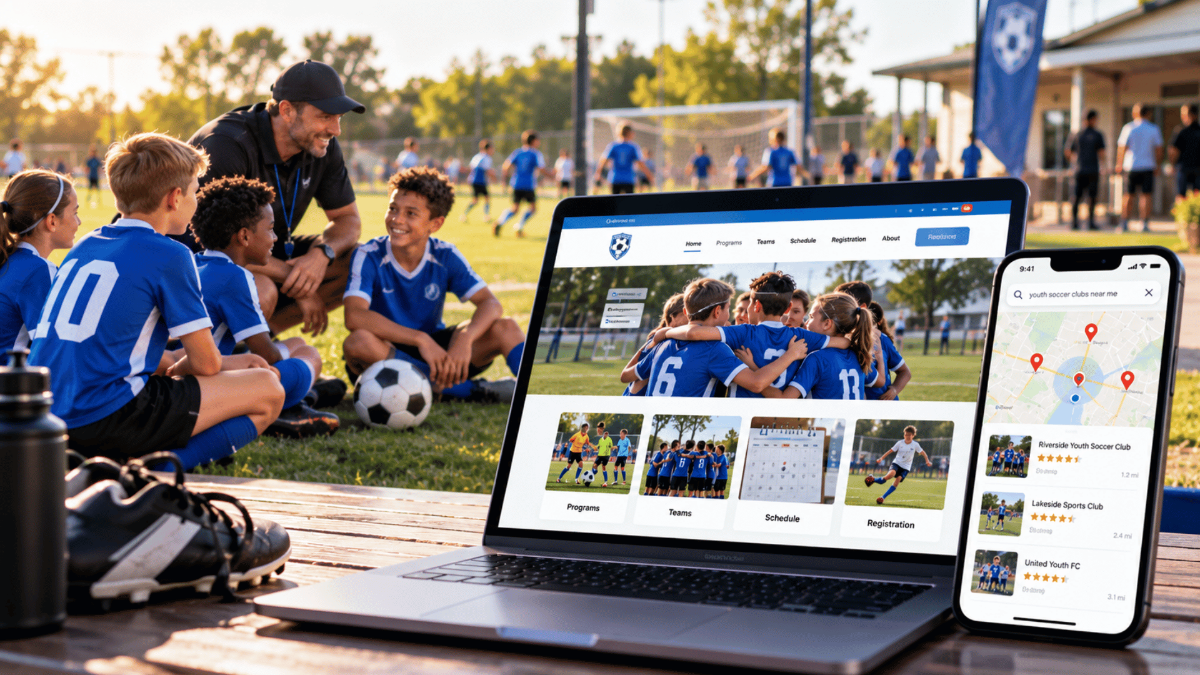
Youth sports clubs can improve local visibility by keeping their organization details accurate, publishing useful pages for each program and location, and checking that search engines can reach those pages. For clubs that qualify for a Google Business Profile, a verified and up-to-date profile is an important place to start. Google's local results depend on relevance, distance and prominence, so the closest club won't always appear first.
This guide is for board members, registrars and volunteers who look after a club website and want more local families to find it. You'll see how local results work, which checks a volunteer can handle, which ones may need technical help, and how to tell whether the work is paying off.
Why families might not find your club
Picture a family that just moved across town. Their eight-year-old wants to play soccer, so a parent types "youth soccer near me" into their phone. Three clubs come up in the map results. Yours isn't one of them, even though your fields are a ten-minute drive away.
That's an illustrative scenario, but the causes behind it are common:
- The club's Google Business Profile was never claimed, or it still shows last year's registration link and old contact details.
- Program pages are thin or out of date, so they don't answer basic questions like ages, fees or where games are played.
- Some pages are hard for search engines to reach or haven't been indexed yet.
- The club has few reviews and few mentions from local schools, leagues or community groups.
None of this is easy to see from inside the club. The website loads, the board can see it, and everyone assumes it's doing its job. A family that can't find you won't call to say so. They sign up somewhere else, and the club only notices when registration numbers come in lower than expected.
Word of mouth doesn't fully protect you either. A friend might recommend your club, but the parent will usually still look you up to check the schedule or find the registration link. If what they find is outdated or hard to locate, that recommendation can stall right there.
How local search results work
Google says its local results are based mainly on three things (Google Business Profile Help):
- Relevance: how well your listing and website match what the parent searched for. A profile that clearly says "youth basketball, ages 7 to 14" is easier to match than one that just says "sports."
- Distance: how far your club is from the person searching, or from the location they typed in. You can't change this one.
- Prominence: how well known your club is. Reviews, ratings, links from other websites and mentions across the web all play a part.
Accurate details help, but they don't guarantee a spot in the map results. A club with a complete profile can still sit below a larger, better-reviewed club across town. What you can do is make sure nothing on your side is holding you back.
It also helps to think of local discovery as three separate places a family might find you:
Where families look | What mostly decides it | What your club controls | Where to check |
|---|---|---|---|
Google Maps and the local map results | Relevance, distance and prominence | Business Profile accuracy, category, reviews, local mentions | Business Profile performance report |
Regular web search results | Whether pages are indexed and how well they answer the search | Program pages, site navigation, sitemap, crawl access | Google Search Console, Bing Webmaster Tools |
AI assistants and AI search features | Each service's own retrieval and eligibility rules | Clear public information and not blocking the right crawlers | Search Console reports, referral visits in your analytics |
How to get found, step by step
Work through these in order. The early steps are things most volunteers can do in an evening. The later ones may need help from whoever manages your website.
- Check your Business Profile eligibility, then claim it. Read Google's Business Profile guidelines before you create or edit a listing. This matters for clubs that rent fields or gyms, because Google doesn't allow listings for ongoing classes or meetings at a location you don't own or have authority to represent. A club with its own facility or a staffed office may qualify. If yours does, verify ownership, pick the most specific category that honestly describes what you do, and make sure your name, address, phone number and hours match your website exactly.
- Publish one complete page for each program. Each page should cover the sport, age groups, city or neighborhood, venue address, season dates, fees, spots available, a working registration link and a contact person. Only create separate pages when programs or locations are genuinely different. Near-identical pages made just to target nearby neighborhoods tend to do more harm than good.
- Build local credibility. After each season, ask families to leave an honest review, and reply to the reviews you get. Don't offer discounts or prizes in exchange for reviews, since Google doesn't allow that. Look for real local connections too: your league's member directory, the city parks and recreation listings, school newsletters and sponsors who are happy to link to you.
- Make sure search engines can reach your pages. Set up Google Search Console and use the URL Inspection tool on your most important program pages. It shows whether a page is indexed and, if not, why. Check that program pages are linked from your main navigation and listed in your sitemap. Keep rosters, player details and member-only pages private. They don't need to be in search results.
- Answer the questions parents actually ask. Add a short question-and-answer section to each program page. What ages do you take? Where are practices held? When does registration open? What does it cost? Is financial help available? Clear answers help families decide, and they give search engines and AI tools something accurate to work with.
- Measure, then repeat. Note the date of each change and check your reports monthly. The measuring section below covers what to look at.
Here's a rough split of who usually handles what:
Task | Who can usually do it | How often |
|---|---|---|
Update Business Profile hours, links and photos | Any board member with access | Before each season and whenever details change |
Update program pages | Registrar or communications volunteer | Before each registration window |
Ask for and reply to reviews | Coaches and board members | End of each season |
URL Inspection and sitemap checks | Website manager | Monthly, and after big site changes |
robots.txt and crawler settings | Website manager or developer | Once, then after platform changes |
A quick example
Here's a hypothetical that shows how these steps fit together in practice.
A club's homepage says "Spring registration is open," but the linked soccer page still shows last year's dates and an old fee. A volunteer updates that page with the current age groups, venue address, fees, season dates and a working registration link. They make sure the page is reachable from the main menu, then ask the website manager to inspect the URL in Search Console and request indexing.
The registrar writes down the date of the change. A few months later, they compare search visits to that page and completed registrations against the same weeks last season. That comparison won't prove the update caused every new sign-up, but it gives the board a real number to look at instead of a guess.
What about sitemaps, schema and llms.txt?
These terms come up a lot, and they're often oversold. Here's what each one actually does.
A sitemap is a file that lists the pages you want search engines to know about. It can help them discover important public pages, but it doesn't guarantee those pages get indexed. Pages that are well linked from your site can be found without one (Google Search Central). Most website builders create a sitemap for you, so it's worth confirming yours exists and is submitted in Search Console.
A robots.txt file tells crawlers which parts of your site they may visit. The main thing to check is that it isn't accidentally blocking your program pages.
Structured data (often called schema markup) is code that labels what a page contains, such as an organization, an event or an address. Used correctly, it helps search engines understand content and can make a page eligible for some search features. It isn't required for a page to be indexed, and Google says no special markup is needed to appear in its AI features (Google Search Central).
An llms.txt file is a proposed format for summarizing a site for AI tools. Google has said it doesn't use llms.txt for visibility or ranking in Search. Adding one is harmless, but it isn't something a club should expect to change results on its own.
Showing up in AI assistants
More families now ask tools like ChatGPT, Gemini or Google's AI Overviews for suggestions. There's no file or setting that guarantees your club gets mentioned. Each service has its own rules for what it reads and cites.
What helps across the board is the same work described above: clear, accurate, public pages that answer real questions. It's also worth checking that your site doesn't block the crawlers these services use. OpenAI, for example, uses a crawler called OAI-SearchBot for ChatGPT search, which is separate from the GPTBot crawler it uses for model training (OpenAI). A club can allow one and block the other, so ask your website manager how yours is set up.
How to tell if it's working
Use a few free reports together, since no single tool shows the whole picture:
- Google Search Console and Bing Webmaster Tools show which searches bring people to your site, how often your pages appear, and whether they're indexed.
- Business Profile performance shows calls, direction requests and website clicks from your listing.
- Your website analytics shows visits to each program page and, if it's set up to track them, completed registrations.
Count completed registrations separately from clicks on a "Register" button. One simple measure is completed registrations divided by visits to the related program pages. It tells you whether families who find the page go on to sign up.
Compare the same weeks across seasons, because youth sports registration rises and falls through the year. Keep a short log of when you made each change. Recrawling a page can happen within days or take a few weeks, and ranking changes depend on what other clubs nearby are doing, so judge progress over a season rather than a week.
AI referrals are harder to track. You may see some visits from AI tools in your analytics, but no tool reports every time an assistant mentions your club.
Common worries from club boards
"We don't have anyone technical." Most of the work here is keeping information accurate and complete. Updating a profile, refreshing program pages and asking for reviews don't need any code. The technical checks are small and can often be handled by whoever set up your website, or by your website platform.
"We can't afford an SEO consultant." You may not need one. Start with the volunteer tasks in the table above. Bring in outside help only if Search Console shows problems your team can't fix.
"We're too small to compete." Size isn't the deciding factor. Distance and relevance carry real weight in local results, so a small club with a clear, accurate presence can show up for families nearby. Larger clubs with more reviews will still have an edge on prominence, which is why reviews and local mentions are worth the effort.
"We're switching website platforms. Will we lose our rankings?" A careful migration keeps your important pages, sets up redirects from old addresses to new ones, and resubmits your sitemap. Even then, rankings can wobble for a while after a move. Ask your new provider exactly how they handle redirects before you switch.
Next steps
If families struggle to find your club, check both your search visibility and your registration experience. Start with your Business Profile and your busiest program page this week. Then set up Search Console so you can see what's happening rather than guessing.
If your club needs a website that's easier for volunteers to keep current, take a look at how the SportsPlus website builder works for clubs and leagues. It's built around the pages clubs actually need, from programs and schedules to registration.
Frequently Asked Questions
How much does it cost to improve local SEO for a youth sports club?
Much of the work costs volunteer time rather than money. Claiming a Business Profile, updating program pages, asking for reviews and setting up Search Console are all free. Costs come in if you pay for website maintenance or hire a specialist to fix technical problems your team can't solve.
How long does it take to see results?
There's no fixed timeline. Search engines may recrawl an updated page within days or a few weeks, but ranking changes depend on your competition and how much you've improved. Compare results across a full season.
Is our club too small to show up in local search?
No. Local results weigh relevance and distance alongside prominence, so a small club can appear for nearby families. Bigger clubs with more reviews may still rank higher, so genuine reviews and local mentions are worth pursuing.
What happens to our search rankings if we switch website platforms?
A careful migration keeps important pages, redirects old addresses to new ones and resubmits the sitemap. Rankings can still fluctuate for a while after a move, so confirm how redirects will be handled before you switch.
What is AEO, and is it different from regular SEO?
AEO, or answer engine optimization, means making your content easy for AI tools to understand and cite. In practice it overlaps heavily with good SEO: accurate, public pages that answer real questions clearly. No method guarantees an AI assistant will mention your club.
Does our club need an llms.txt file?
It isn't required. An llms.txt file is a proposed way to summarize a site for AI tools, and Google has said it doesn't use llms.txt for ranking or visibility in Search. Your time is usually better spent on clear program pages.
Is local SEO worth it if we already get registrations through word of mouth?
Yes. Families who hear about you from a friend usually still search for your club to check details or register. If that search turns up outdated information, the referral can fall through without you ever knowing.

Nathan Uppara
Digital Marketing Lead at SportsPlus
Nathan Uppara is the Digital Marketing Lead at SportsPlus, where he helps sports organizations discover better ways to manage registration, payments, scheduling, communication, websites, and mobile apps. He combines his experience in digital marketing and sports technology to create practical content and resources for clubs, leagues, and sports organizations.
Latest in Sports

Modern & Comprehensive Platform for High School Athletics, Serving All Programs, Students, and Staff.
Nov 14, 2024658
Why High Schools Need All-In-One Sports Platform. A Guide for Athletic Directors
Oct 29, 2024389
Why SportsPlus is the Superior Choice Over rSchoolToday for Sports Management
Oct 17, 2024267
SportsPlus Provides a Comprehensive Solution for E-Sports Organizations
Sep 26, 2024295
How SportsPlus Empowers Adaptive Sports Programs
Sep 25, 2024376